ESP32 Boot Visualization
To better understand how the same data is visualized differently based on the SerialTool configuration chosen, let's analyze the boot of an ESP32-S3 module via the debug port.
In various screens, the same standard boot sequence (common to many master devices) is repeated, which is ideal for visualization with a VT-100 Terminal.
For comparison, the same sequence is shown using SerialTool's Classic Terminal and also the Hexadecimal Terminal.
First, select the Terminal mode from the main menu as shown in the following image.

Selecting Terminal visualization mode
Select VT-100 Terminal mode from the Terminal settings.

Selecting VT-100 Terminal mode
Once VT-100 Serial Terminal mode is selected, options related to SerialTool's Classic Terminal will be disabled.
By resetting the ESP32 module, we observe the incoming bootloader traffic from the module.
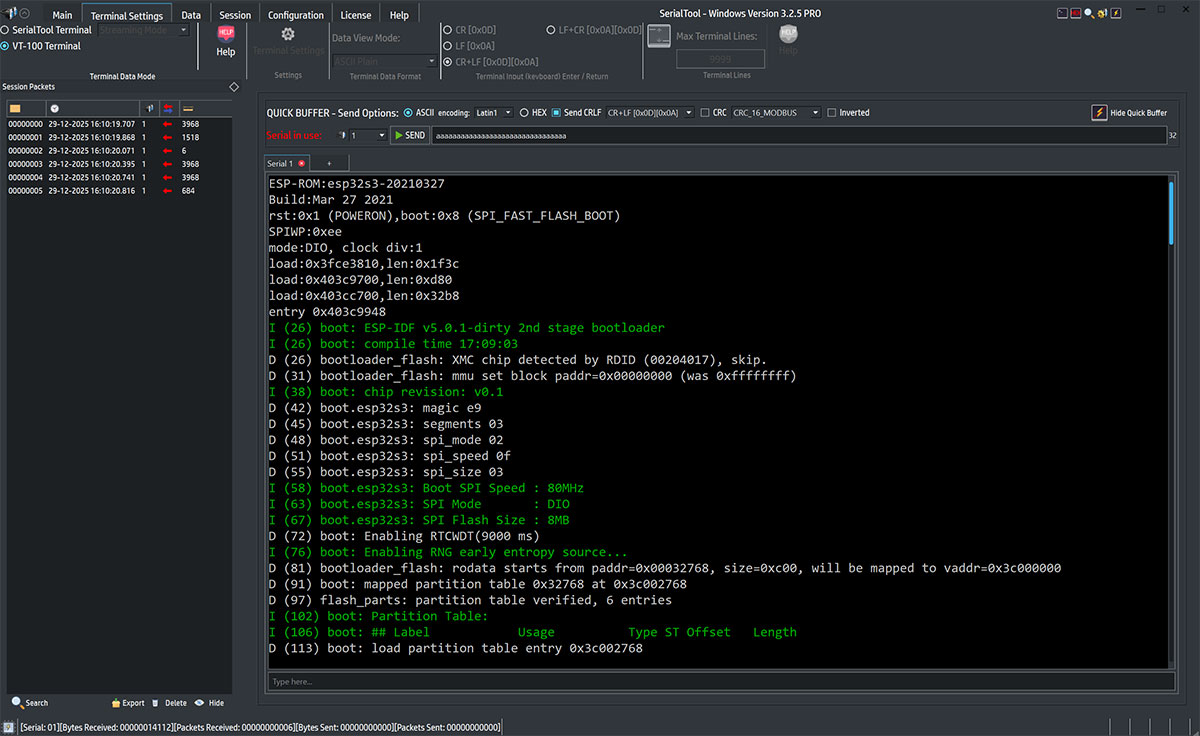
ESP32-S3 Boot in VT-100 Terminal mode
At this point, let's try the same ESP32 module boot procedure with visualization through SerialTool's Classic Terminal.
First, select Classic Terminal mode and select byte representation in ASCII format.
Options related to SerialTool's Classic Terminal will reappear.

Selecting Classic SerialTool Terminal mode - ASCII
By resetting the ESP32 module, we observe the incoming bootloader traffic from the module.
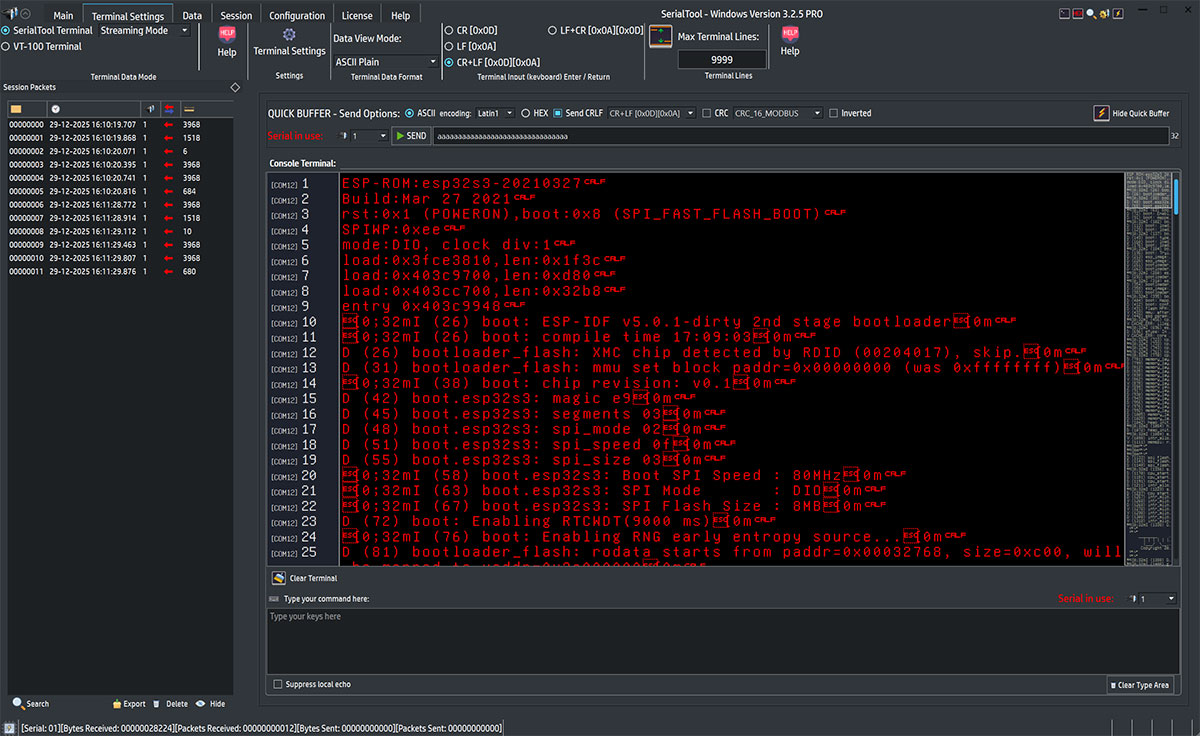
ESP32-S3 Boot in Classic SerialTool Terminal mode - ASCII
Let's perform the same experiment using hexadecimal traffic visualization by setting the data display mode to hexadecimal.

Selecting Classic SerialTool Terminal mode - Hexadecimal
By resetting the ESP32 module, we observe the incoming bootloader traffic from the module.
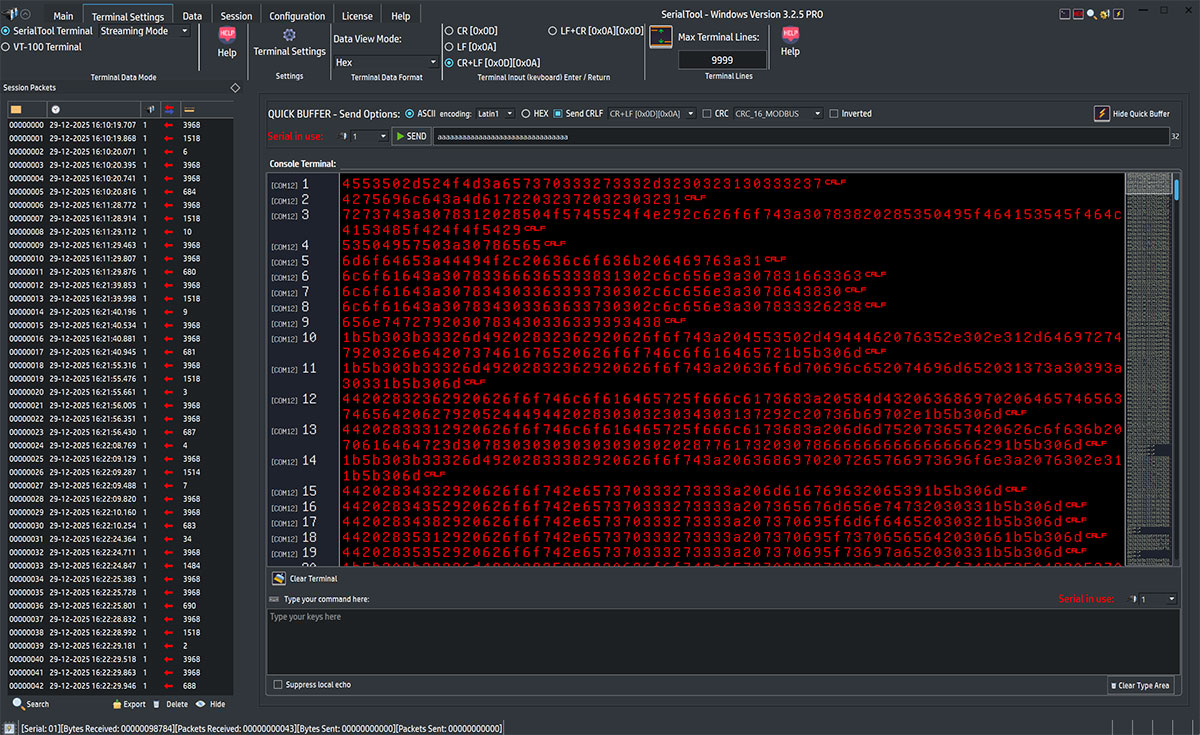
Boot ESP32-S3 in Classic SerialTool Terminal mode - Hexadecimal
As a final test, let's use the other type of SerialTool serial terminal, namely the pure Hexadecimal Terminal.
In this representation, serial port traffic is displayed on the same screen as both hexadecimal and ASCII in two different sections.
This type of visualization is very suitable when you need to clearly see traffic in bytes (inbound and outbound) at the same time.
The choice to use the Hexadecimal Terminal is typically oriented towards developers in embedded environments.
First, select the Hexadecimal Terminal from the main screen.

Selecting Hexadecimal Terminal mode
By resetting the ESP32 module, we observe the incoming bootloader traffic from the module via the Hexadecimal Terminal.
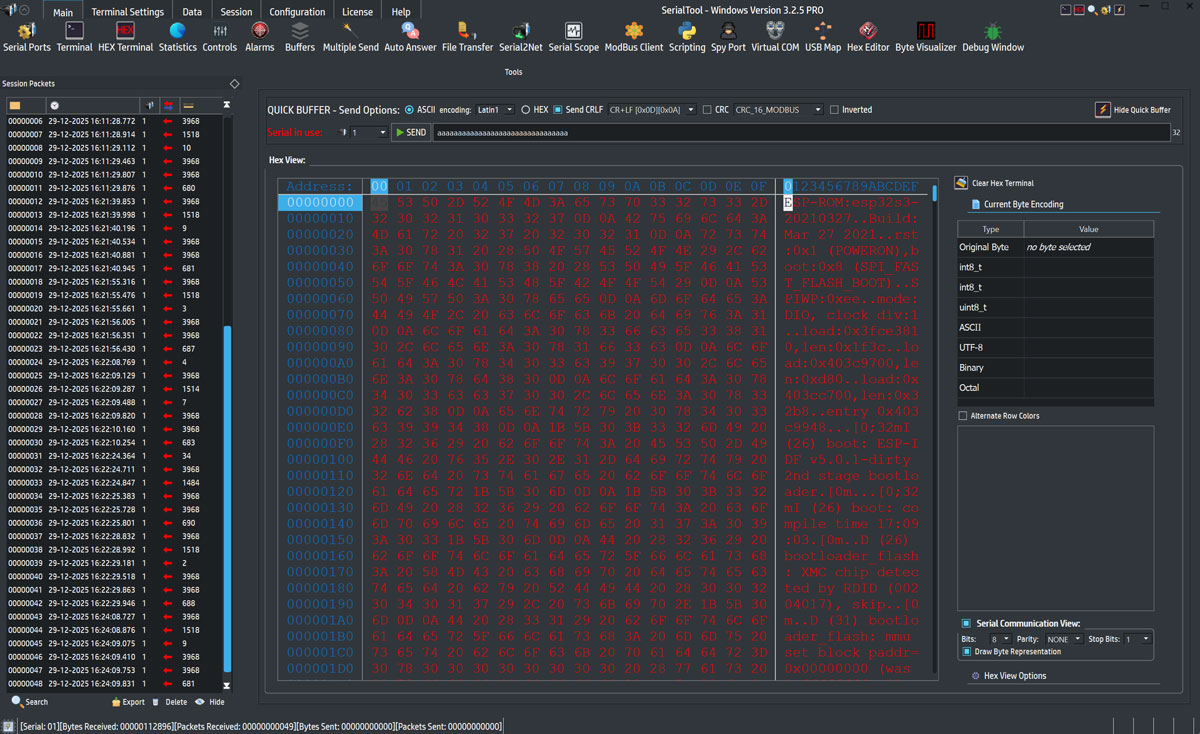
ESP32-S3 Boot in HEX Terminal